
An App where you can Train your Own Hand Pose Model for your Project! 🤌
Source: Dev.to
The Community
This tool targets the AI/ML community, especially those who want to get their feet wet creating their own model. When I started learning AI, I found few resources that let you create a model, download the files, and import them into your project without signing up or paying for a service. Even free services are often limited.
Using pre‑trained models can also be problematic: they may not be accurate enough, and you still have to sign up for an API key, which is hard to hide when building things like Chrome extensions.
What I Built
I created a website called HandTracker that lets you train your own hand‑pose model with ml5.js. You can define any gestures you want and classify them as you like—for example, a “Hello” gesture or Gojo’s signature Domain Expansion: Infinite Void gesture.

Demo
✨ Live Demo
This is what the website looks like when you first visit:
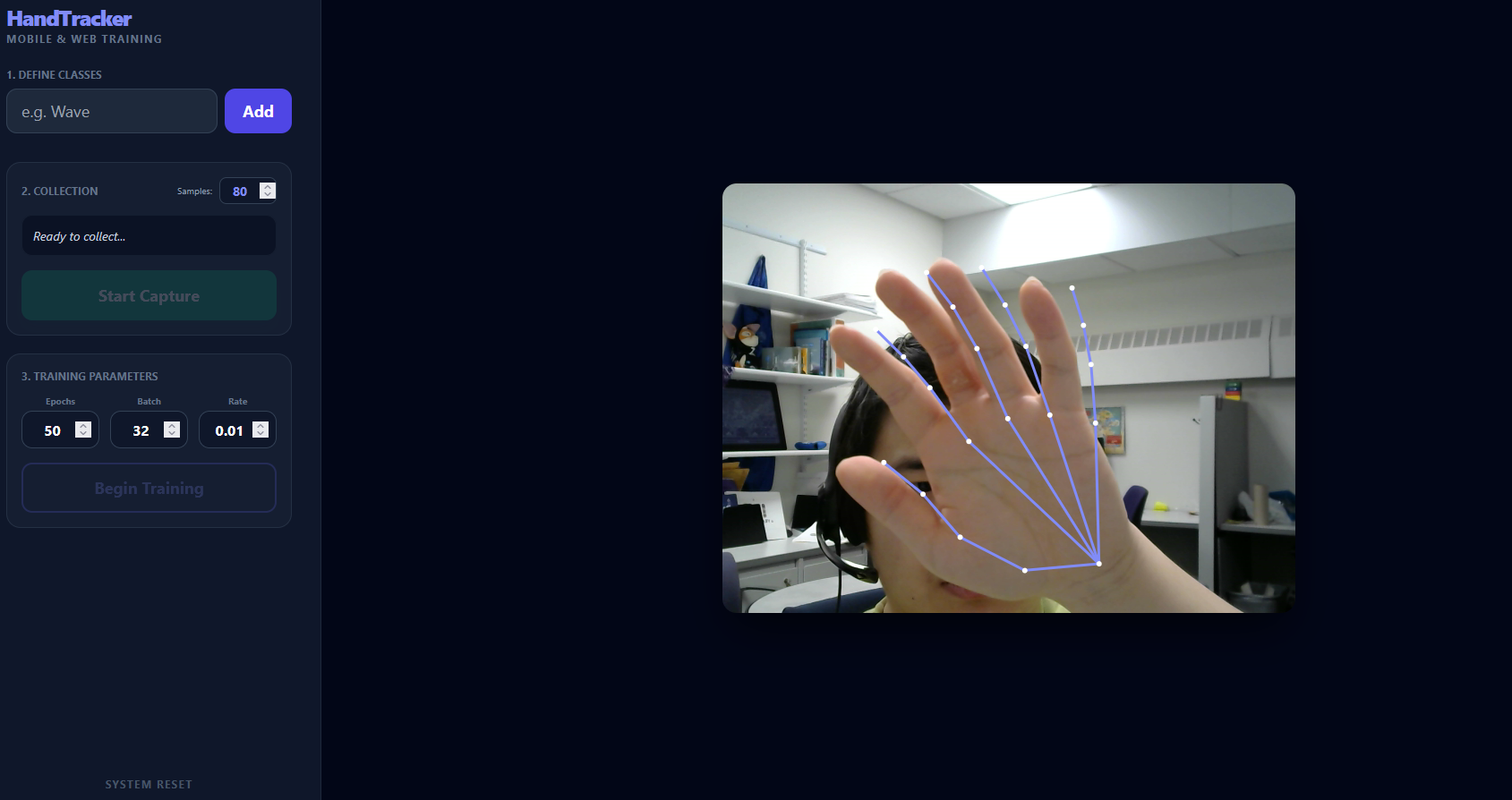
Make sure your camera is enabled, otherwise the app will not work.
Settings
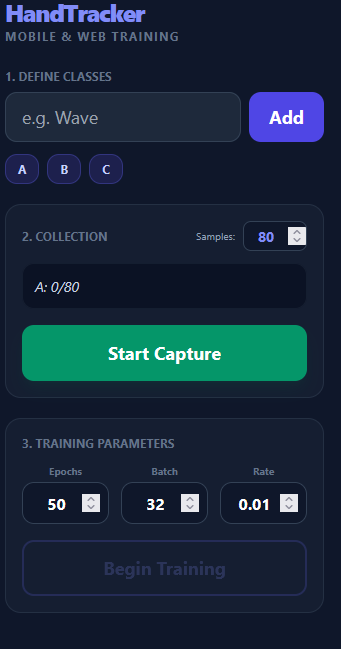
Define Classes
Create a class that corresponds to a specific gesture (e.g., the “A” sign for ASL).
Collection
Choose how many data samples to capture for each class. It’s recommended to collect the same amount for all classes.
Training Parameters
Adjust the training parameters based on your sample size. After setting everything, click “Begin Training” to start.
During training, data collection pauses automatically when the hand is not visible.
Testing the Model
After training, you can test the model:
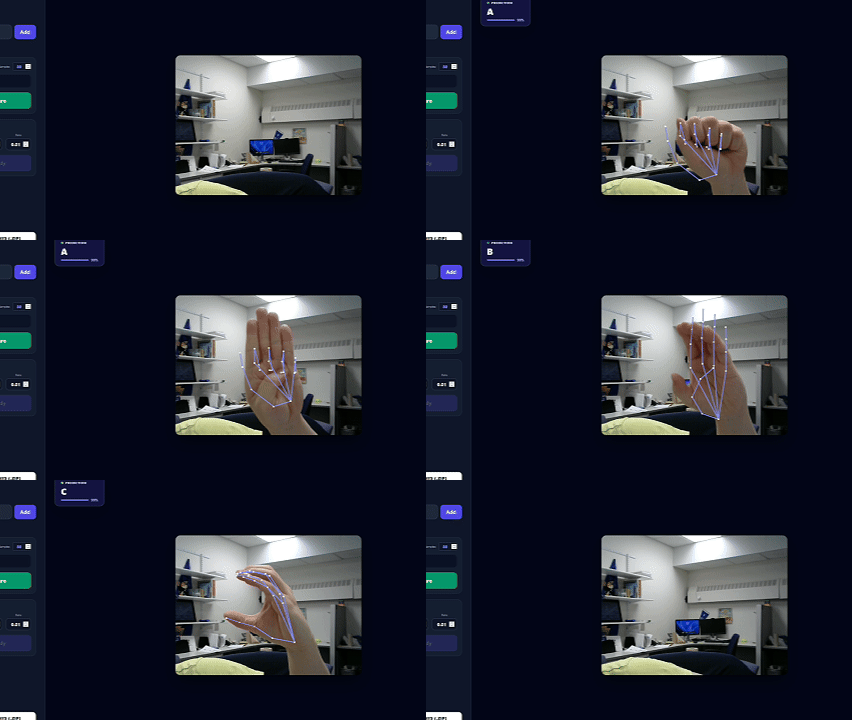
You can also download the trained model as a ZIP file. The archive contains:
Model.json
Model.weights.bin
Model_meta.json
How I Built It
The app is built with vanilla HTML, CSS, and JavaScript, using ml5.js for machine‑learning functionality and p5.js for graphics. All code was generated with Google Gemini and is 100 % written by Gemini.
Code
The source code is available on GitHub.
If you’re interested in contributing, feel free to submit a pull request. The goal is to keep this tool free and eventually expand it beyond hand‑pose to tasks like image classification, text generation, and more.
Any questions or comments? I’d love to hear from you!