
1Campaign platform helps malicious Google ads evade detection
Source: Bleeping Computer

A newly identified cybercrime service known as 1Campaign enables threat actors to run malicious Google Ads that remain online for extended periods while evading scrutiny from security researchers. The platform cloaks malicious content, passing Google’s screening process and showing benign white pages to security researchers and automated scanners.
How 1Campaign Operates
1Campaign provides “customers” with a user‑friendly dashboard to manage campaigns and set parameters. The system filters visitors in real time, directing traffic to landing pages based on criteria such as geography, ISP, and device characteristics.
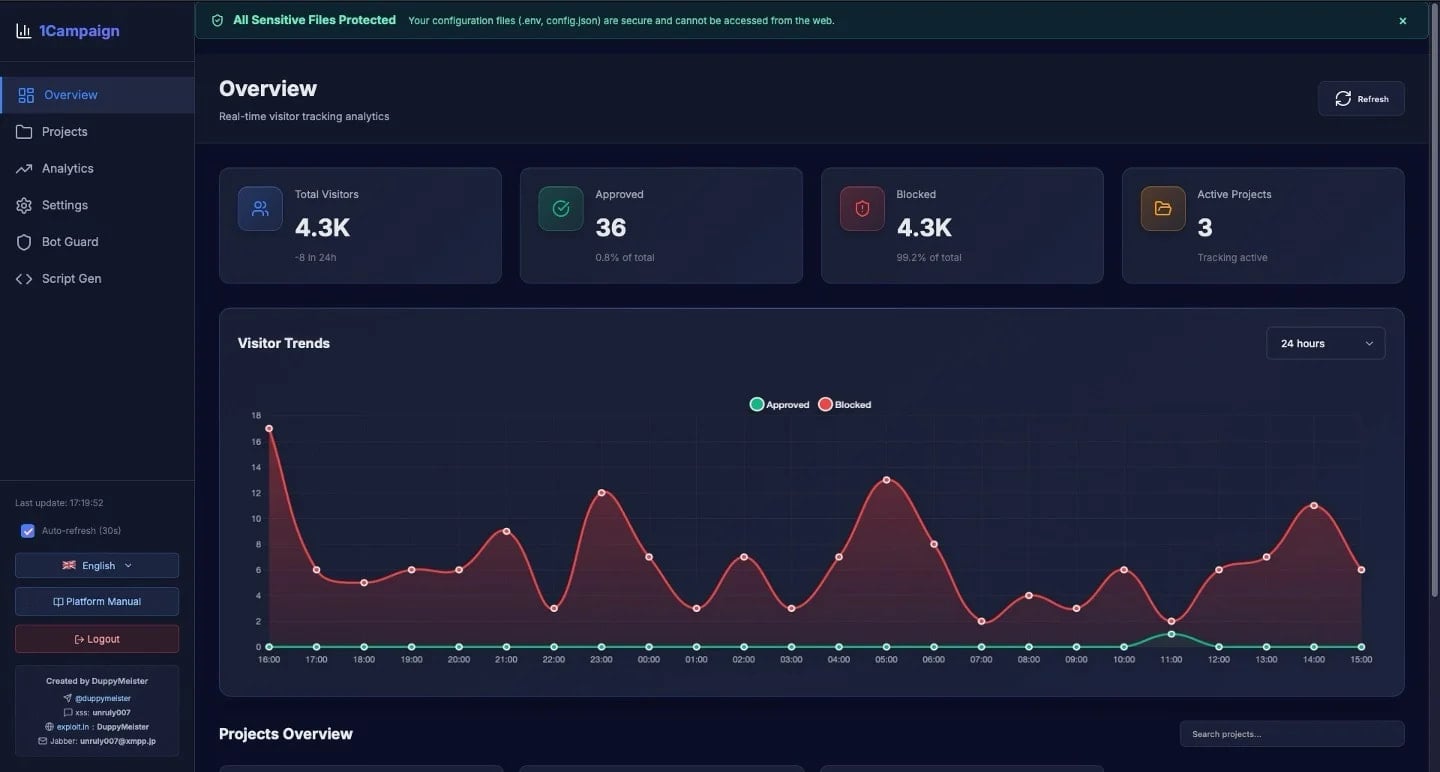
1Campaign dashboard – Source: Varonis
Targeted Filtering and Fraud Scoring
The platform evaluates each visitor and assigns a fraud‑risk score between 0 and 100, reflecting the likelihood of a non‑genuine visitor. Scores are derived from infrastructure details such as cloud providers, data centers, VPNs, and security vendors.
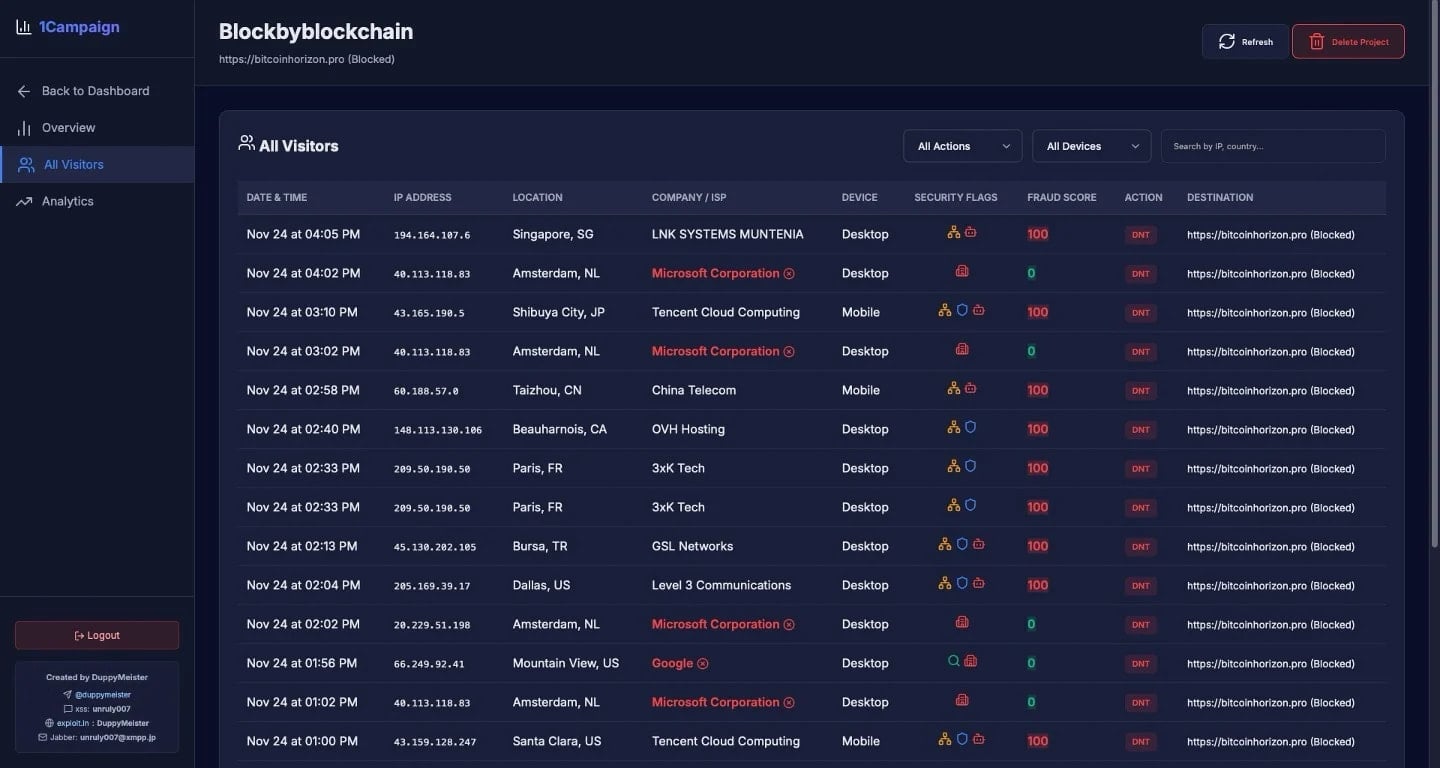
Fraud scores assigned to visitors – Source: Varonis
In one observation, 99.4 % of 1,676 visitors accessing the malicious ads were blocked, leaving only 0.6 % (10 visitors) to reach the phishing or crypto‑drainer pages.
Visitors from major cloud providers—including Microsoft, Google, Tencent Cloud, and OVH Hosting—are automatically flagged with high fraud scores and blocked.
Geographic Distribution
Varonis has observed traffic linked to 1Campaign being distributed across:
- United States
- Canada
- Netherlands
- China
- Germany
- France
- Japan
- Hungary
- Albania
Google Ads Launcher Tool
The platform also offers a Google Ads launcher that helps operators launch both malicious and benign campaigns. According to the developer (known as “DuppyMeister”), the tool bypasses Google’s policy limitations and enables impersonation of legitimate brands in ads.
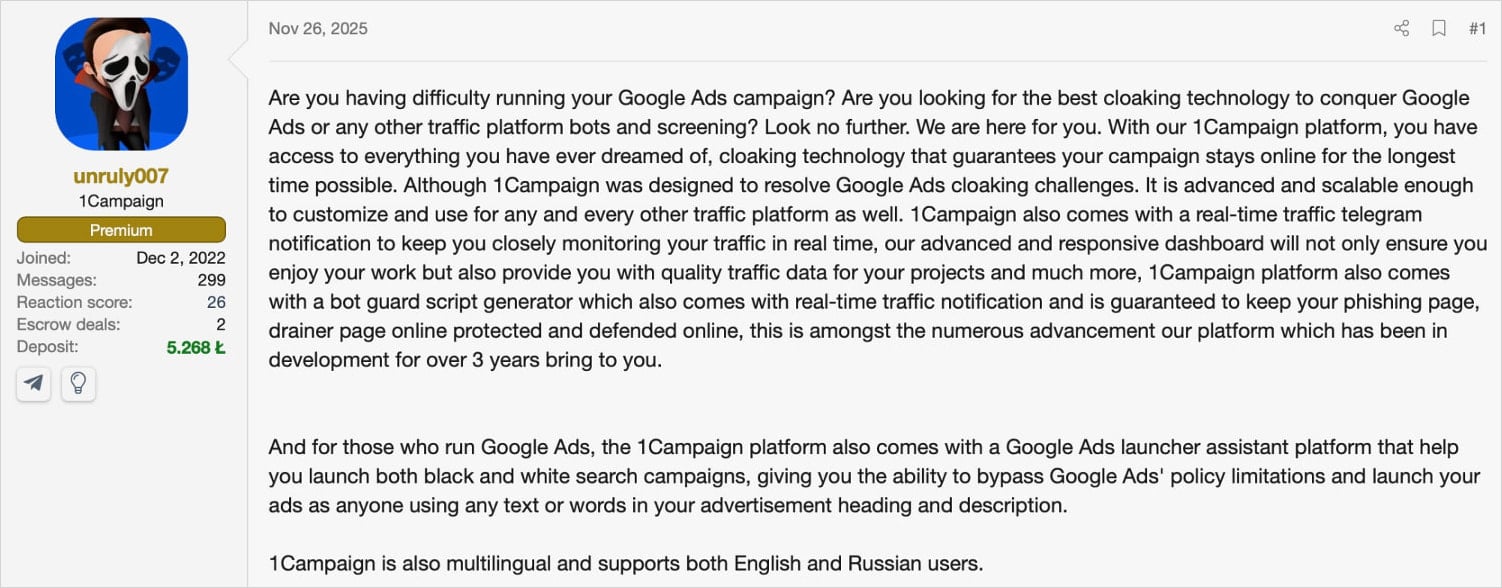
Source: Varonis
Detection Challenges and Recommendations
Because 1Campaign cloaks malicious URLs, static URL scanning becomes less effective. The system uses realistic browser fingerprints and human‑like interaction patterns to evade detection.
Recommendations from Varonis:
- Rotate through a diverse IP pool and vary user‑agent configurations to avoid consistent fingerprinting.
- Avoid clicking promoted search results, or treat them with suspicion.
- Bookmark official software distribution channels.
- Double‑check the URL in the address bar before entering credentials or sensitive information.